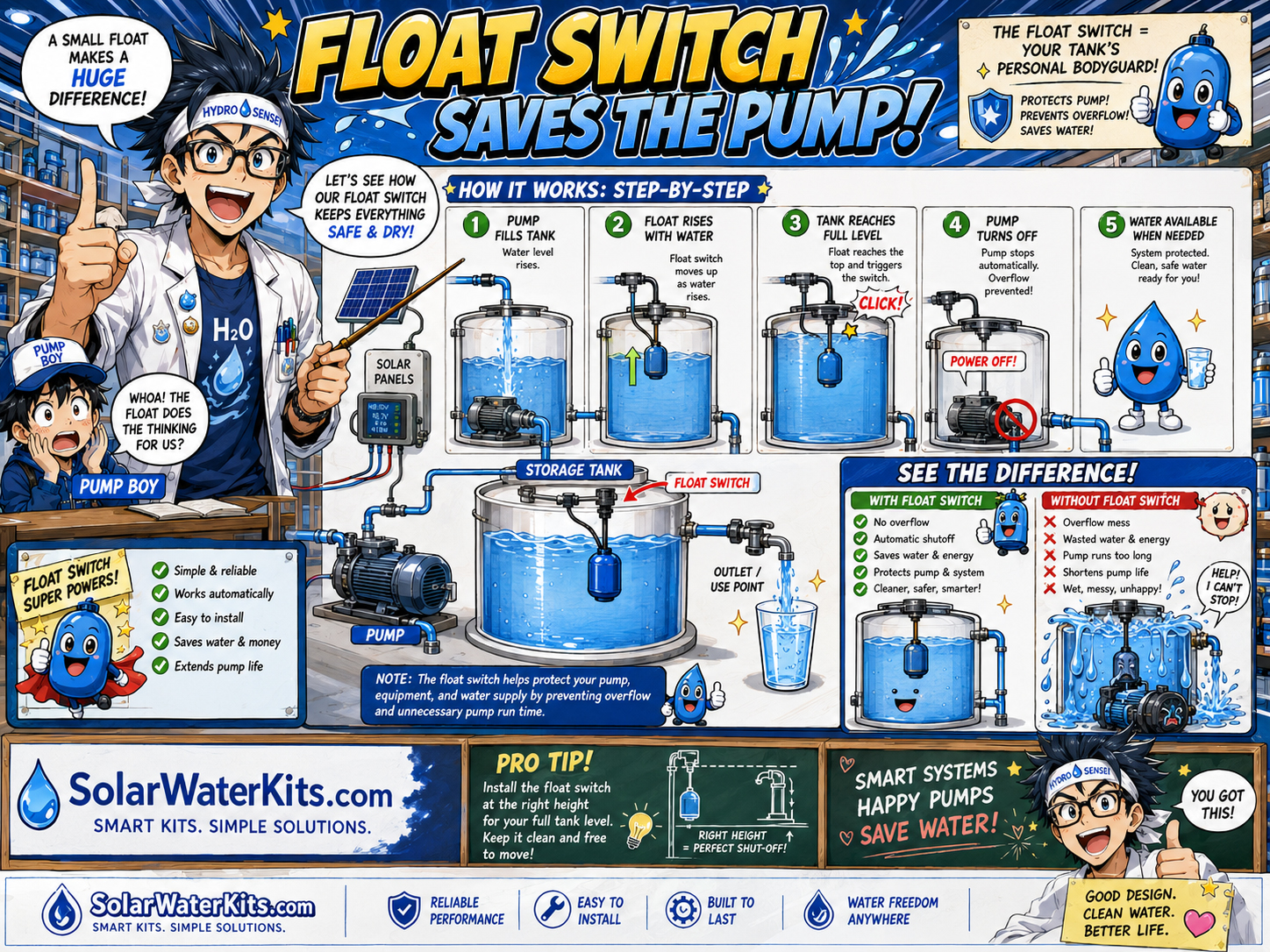
Float Switch
Tank full? Stop.
Float switches can start or stop pumps based on tank level, helping prevent overflow or dry operation.
Pumps are muscles. Tanks are reserves. Batteries are stored energy. Controllers and sensors are the nervous system. Otaku Operator watches pressure, tank level, battery state, pump status, sunlight, flow, and alarms so the water system does not become manga chaos.
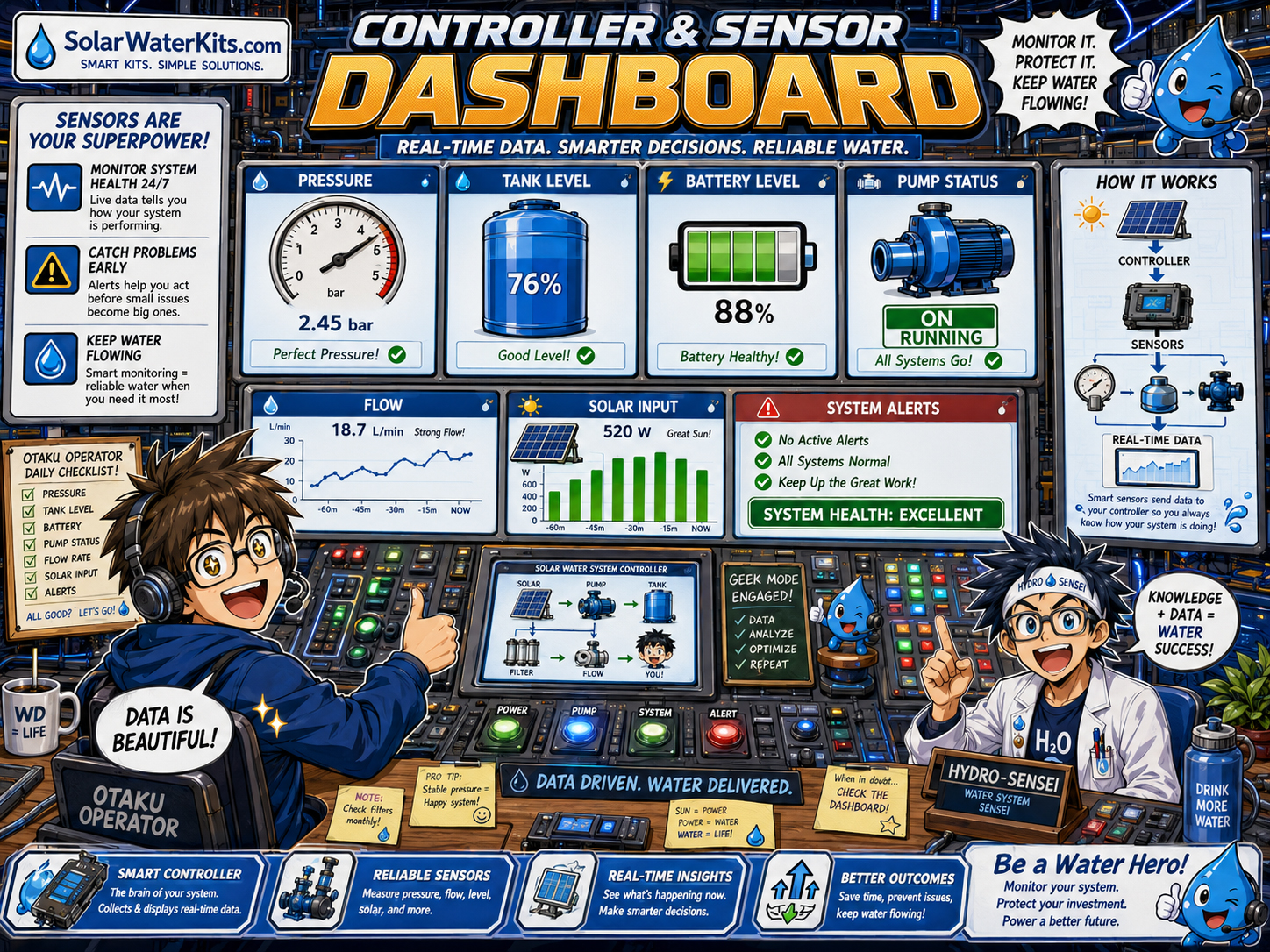
The best controller is not just a fancy screen. It starts and stops pumps at the right time, protects equipment, prevents overflow, prevents dry-run, watches battery limits, and makes the system understandable for the human who must service it.
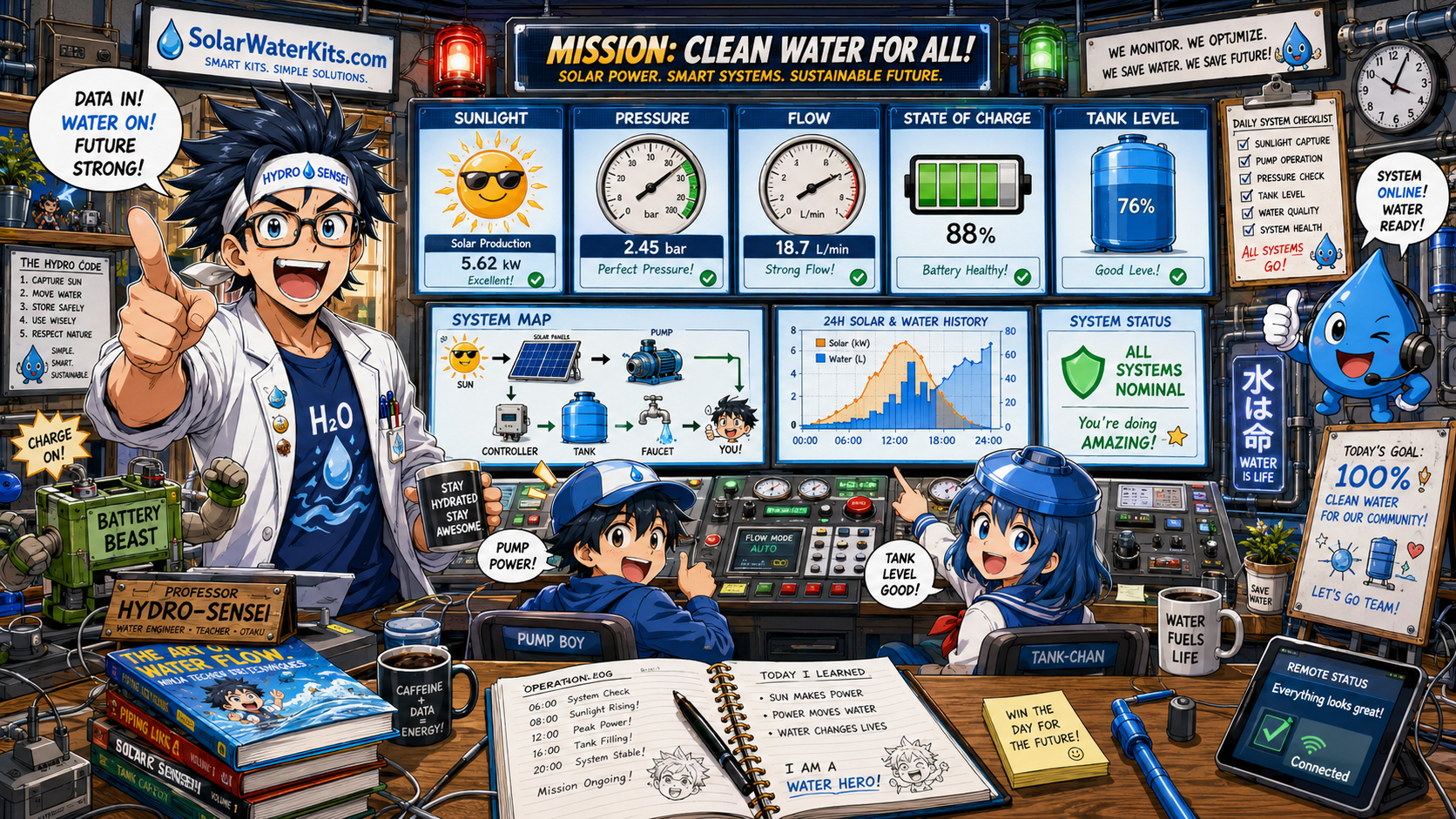
Pressure, flow, battery, tank level, sunlight, and pump state all belong on the map.
A float switch is not a pressure switch. A pressure gauge is not a flow meter. Battery state is not tank level. Otaku Operator respects every signal.
Float switches can start or stop pumps based on tank level, helping prevent overflow or dry operation.
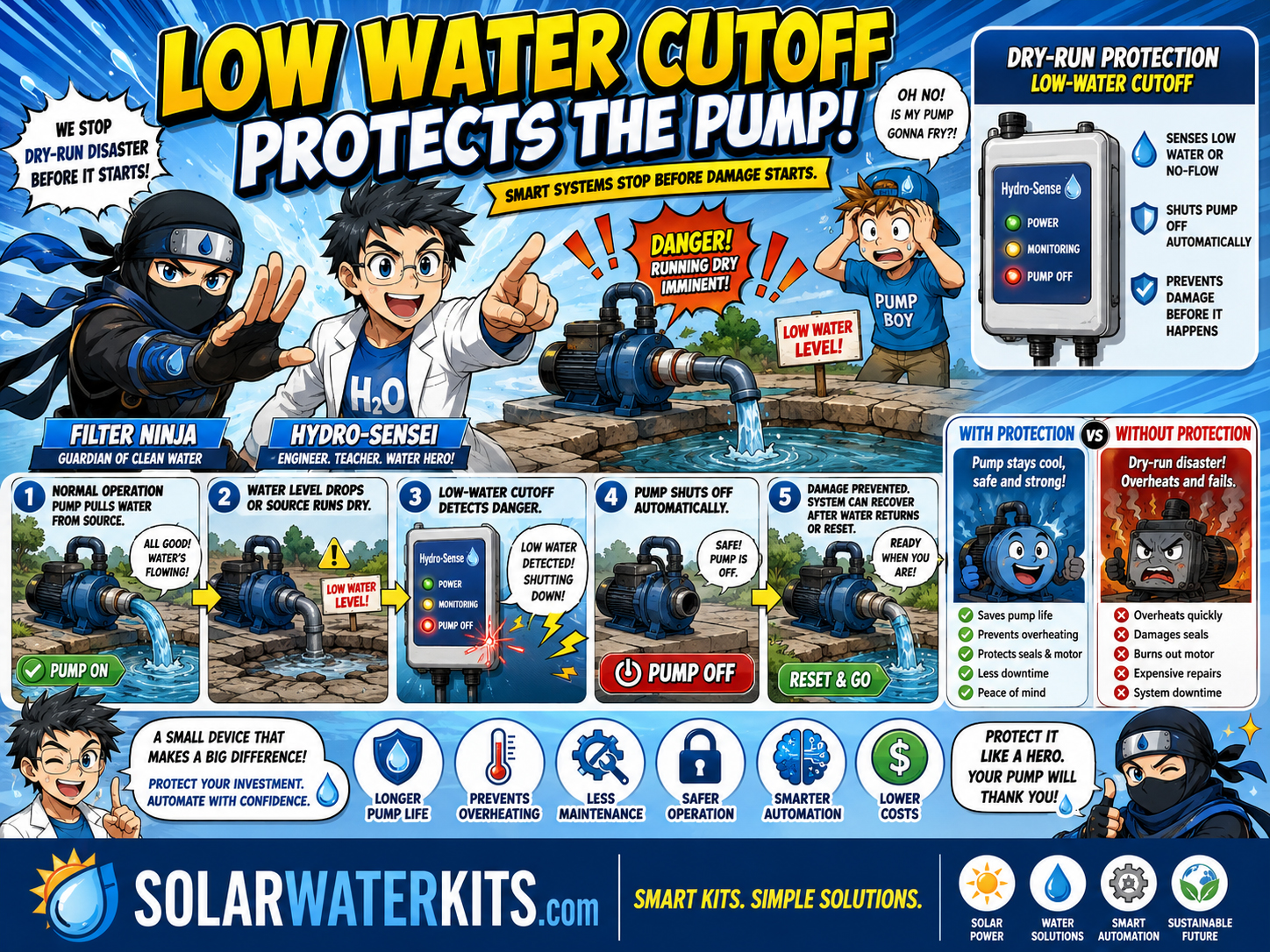
Low-water sensors and dry-run protection help stop pumps before they damage themselves.
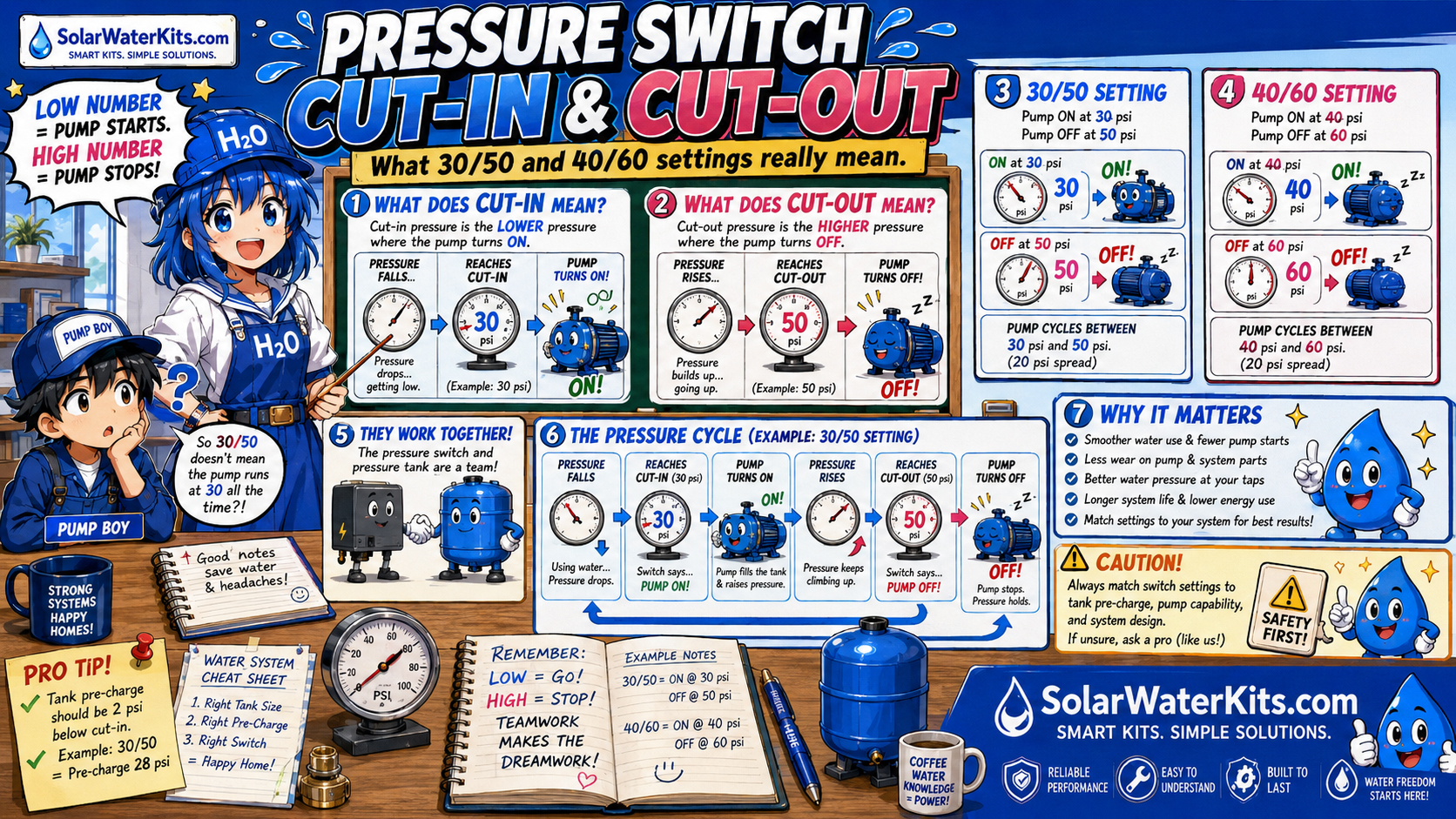
Pressure switches tell pumps when to start and stop based on system pressure.
Pressure Switches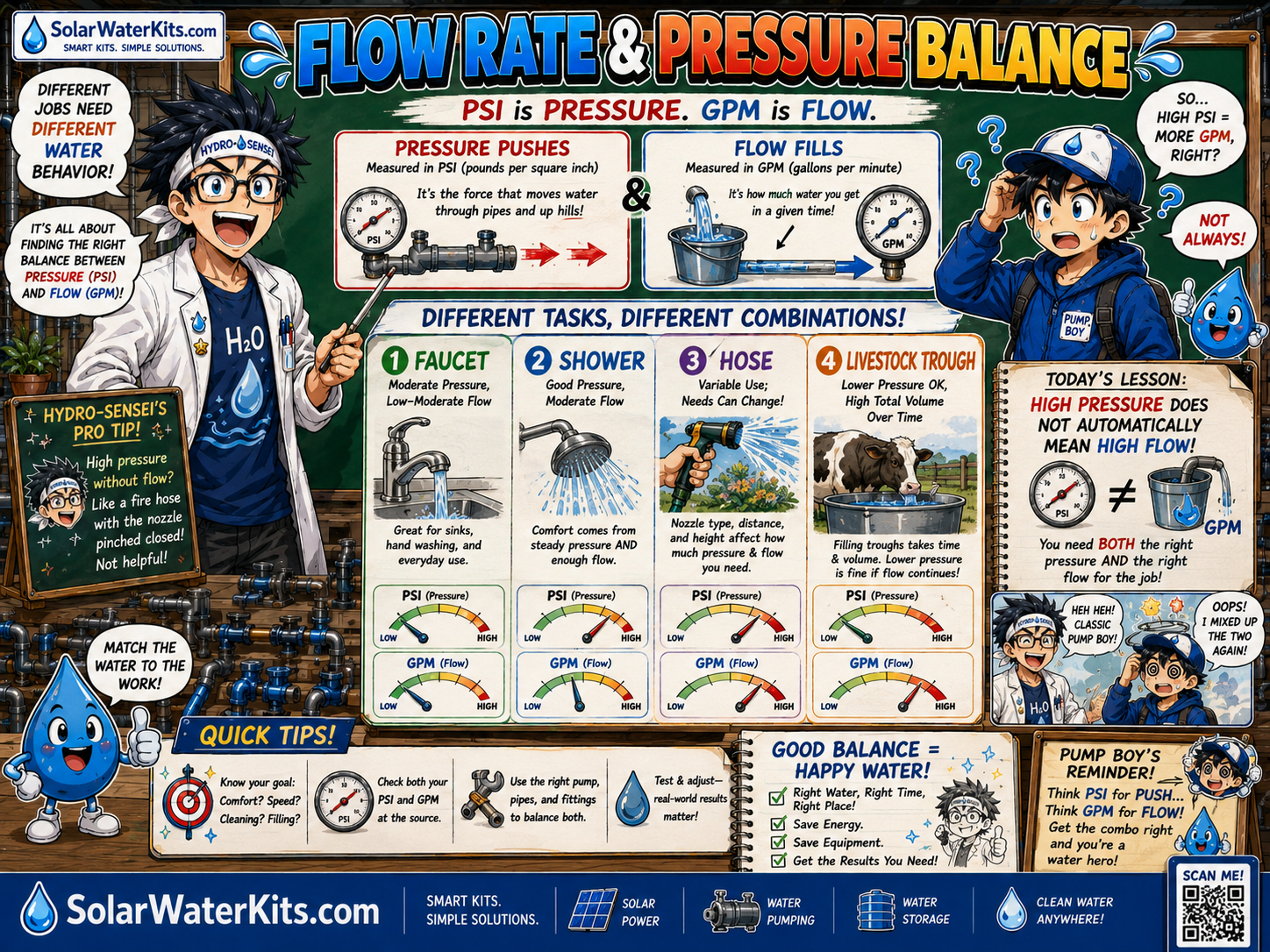
Flow meters can help track gallons used, leaks, irrigation volume, tank filling, or abnormal behavior.
Flow & Pressure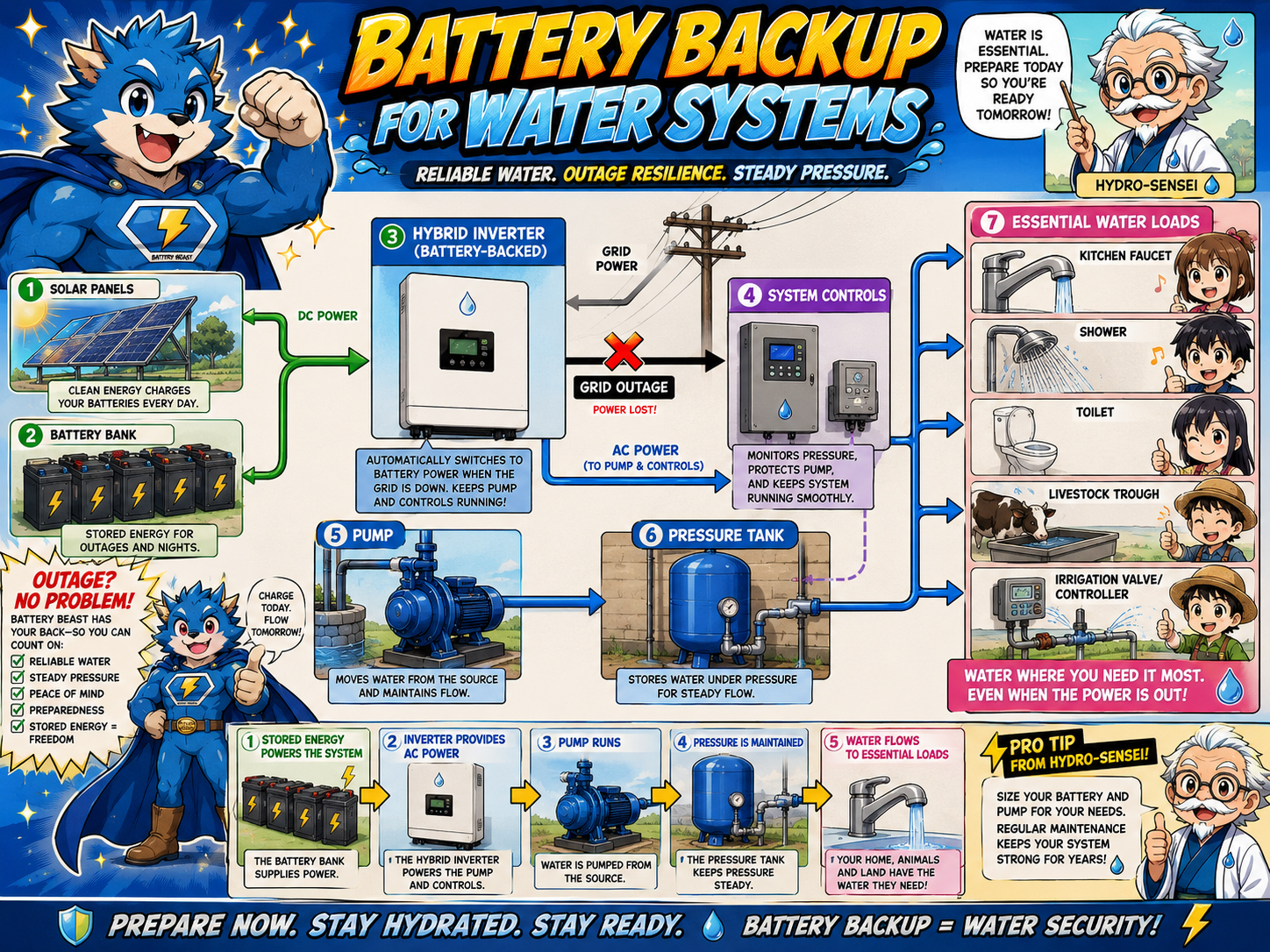
Battery state of charge, inverter status, pump load, and alarms are critical during outages.
Battery Backup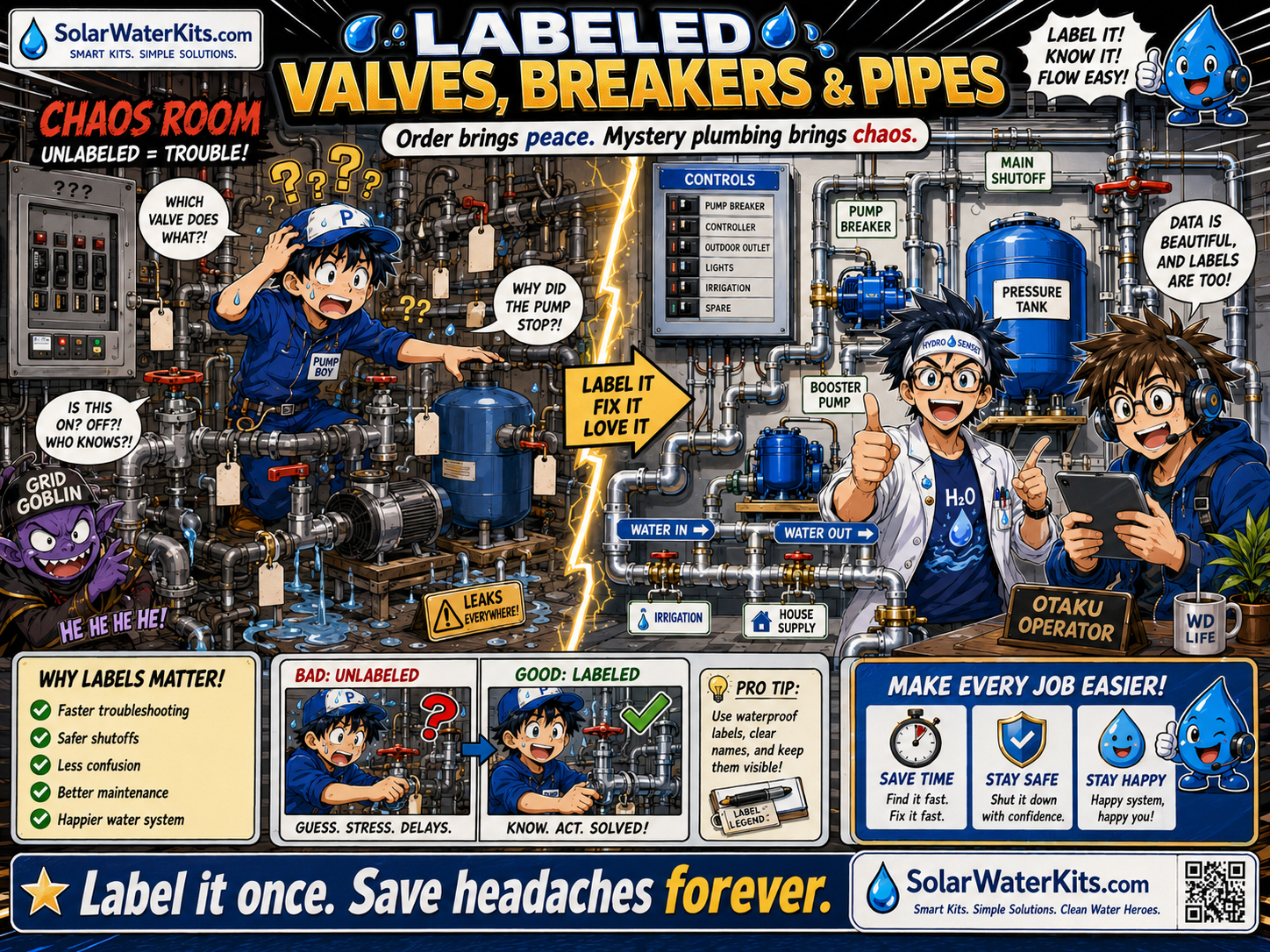
Labels tell people what the system is doing when electronics are off, broken, or confusing.
MaintenanceControls should be boring in the best way. They keep pumps from running dry, tanks from overflowing, batteries from being abused, and users from guessing.
| Condition | Possible Control Action | Why It Matters |
|---|---|---|
| Storage tank full | Stop source pump. | Prevents overflow and wasted water. |
| Storage tank low | Stop booster pump or trigger refill. | Prevents dry-run and protects pump. |
| Pressure drops to cut-in | Start pressure pump. | Maintains usable water pressure. |
| Pressure reaches cut-out | Stop pressure pump. | Prevents overpressure and unnecessary runtime. |
| Battery state low | Limit nonessential pump loads. | Preserves backup power for essential water. |
| Flow without command | Leak alarm or shutoff. | Can indicate broken pipe, stuck valve, or unwanted draw. |
| No flow when pump runs | Fault alarm / dry-run stop. | May indicate empty source, clogged line, failed pump, or closed valve. |
| Freezing temperature | Drain, heat, recirculate, alarm, or shutdown. | Protects pipes, filters, valves, pumps, and tanks from freeze damage. |
A system without status is just plumbing with anxiety.
Fancy graphs are fun, but in a real outage, the user needs blunt facts: Is there water? Is there pressure? Is the pump running? Is the battery okay? Is something in alarm?
Pressure, tank level, battery, pump, sunlight, and alarms in one place.
“Fault code 17” is not enough during a blackout. A good water control system should make the likely problem and the next action clear: check tank, check pump, check breaker, clean filter, open valve, stop nonessential use, or call service.
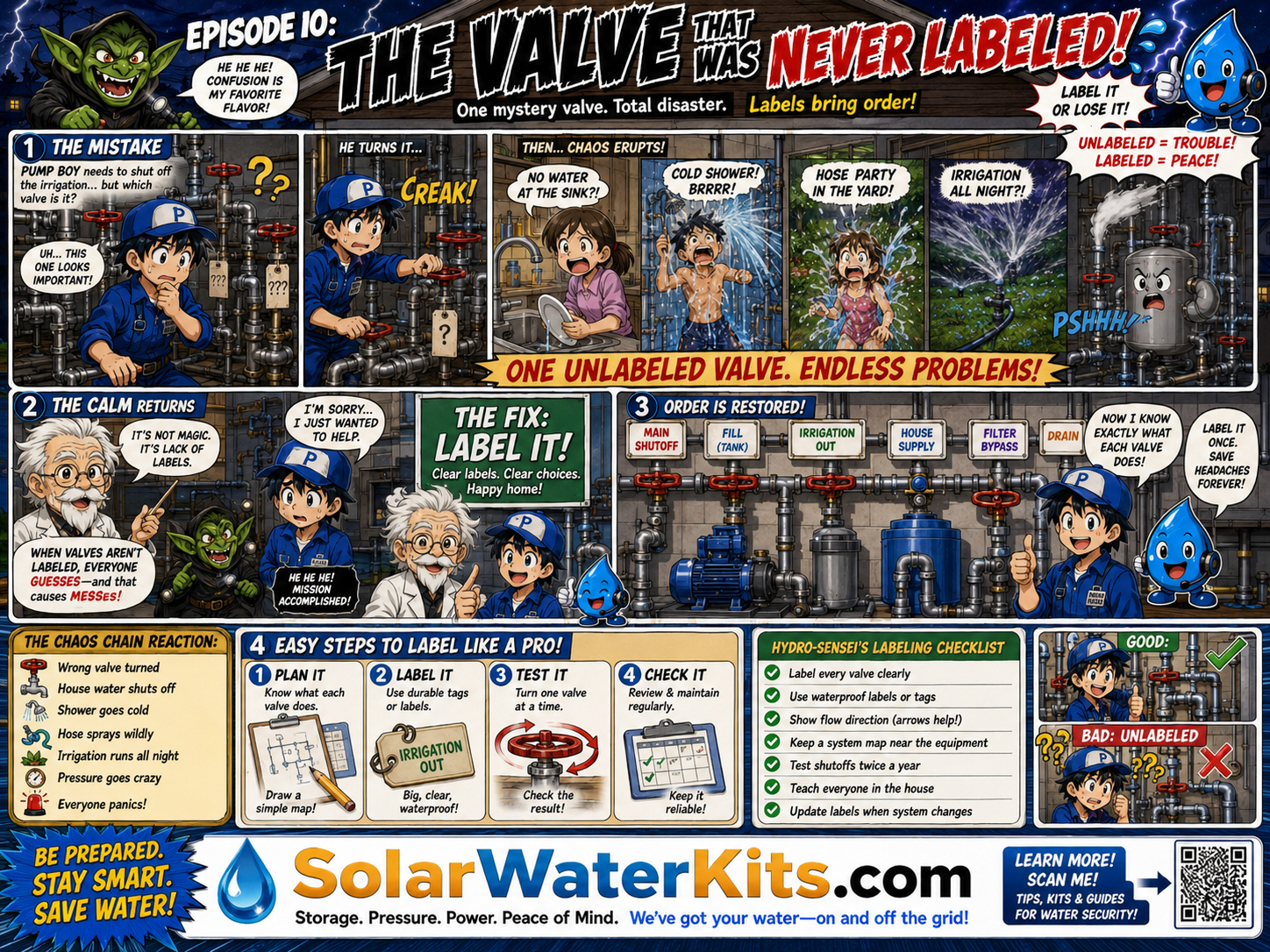
Control systems fail when humans cannot understand the plumbing.
Controls watch well level, pump status, storage tank level, float switch, overflow, and dry-run protection.
Well PumpsControls prioritize essential water loads, battery state, inverter status, pump runtime, and fault alarms.
Battery BackupControls manage timers, valves, filters, pressure regulators, soil moisture, weather, and zone flow.
IrrigationControls protect animal water reliability with tank level, trough refill, float valve, and pump status.
Livestock WaterControls support seasonal shutdown, freeze protection, pressure, filter maintenance, and low-power operation.
Cabin WaterControls keep essential water available and prevent accidental depletion of reserves.
Emergency WaterA dashboard may show a problem, but someone still has to clean the filter, inspect the valve, check the float switch, replace the UV lamp, test the water, or reset the pump.
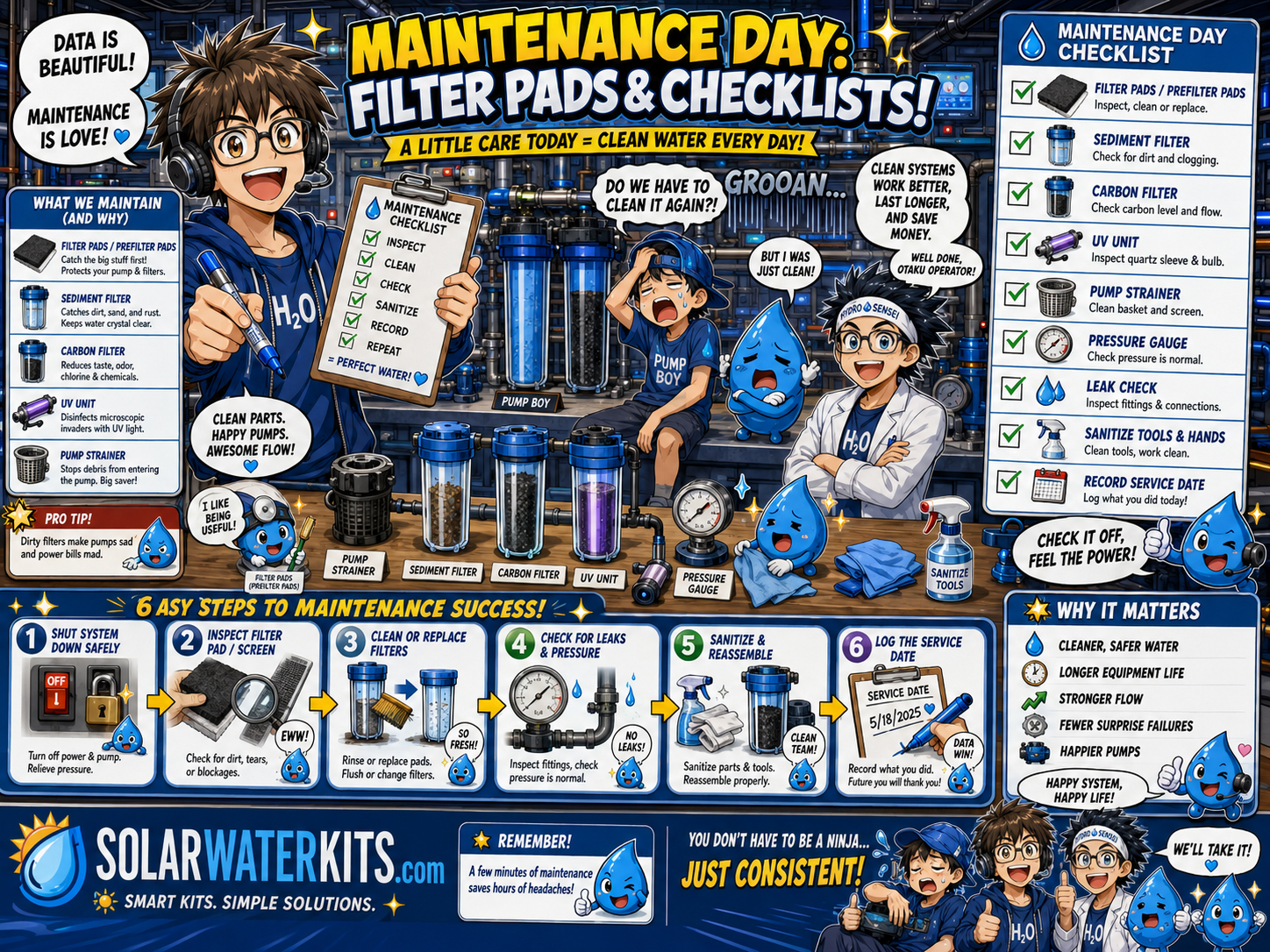
Filters, pumps, valves, tanks, sensors, batteries, and labels need routine checks.
Maintenance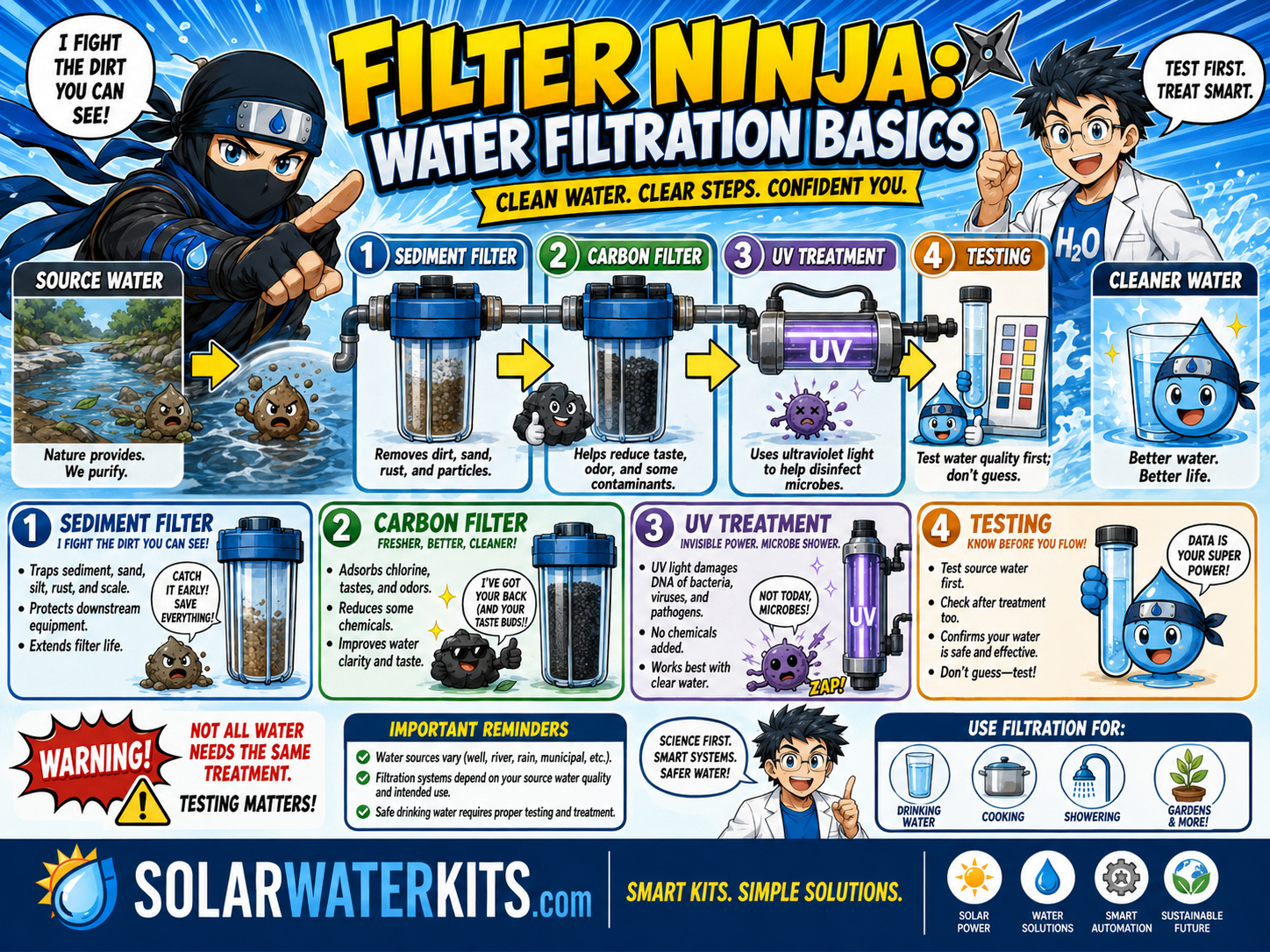
Filter pressure drop, flow changes, and service intervals can reveal clogging or treatment needs.
Filtration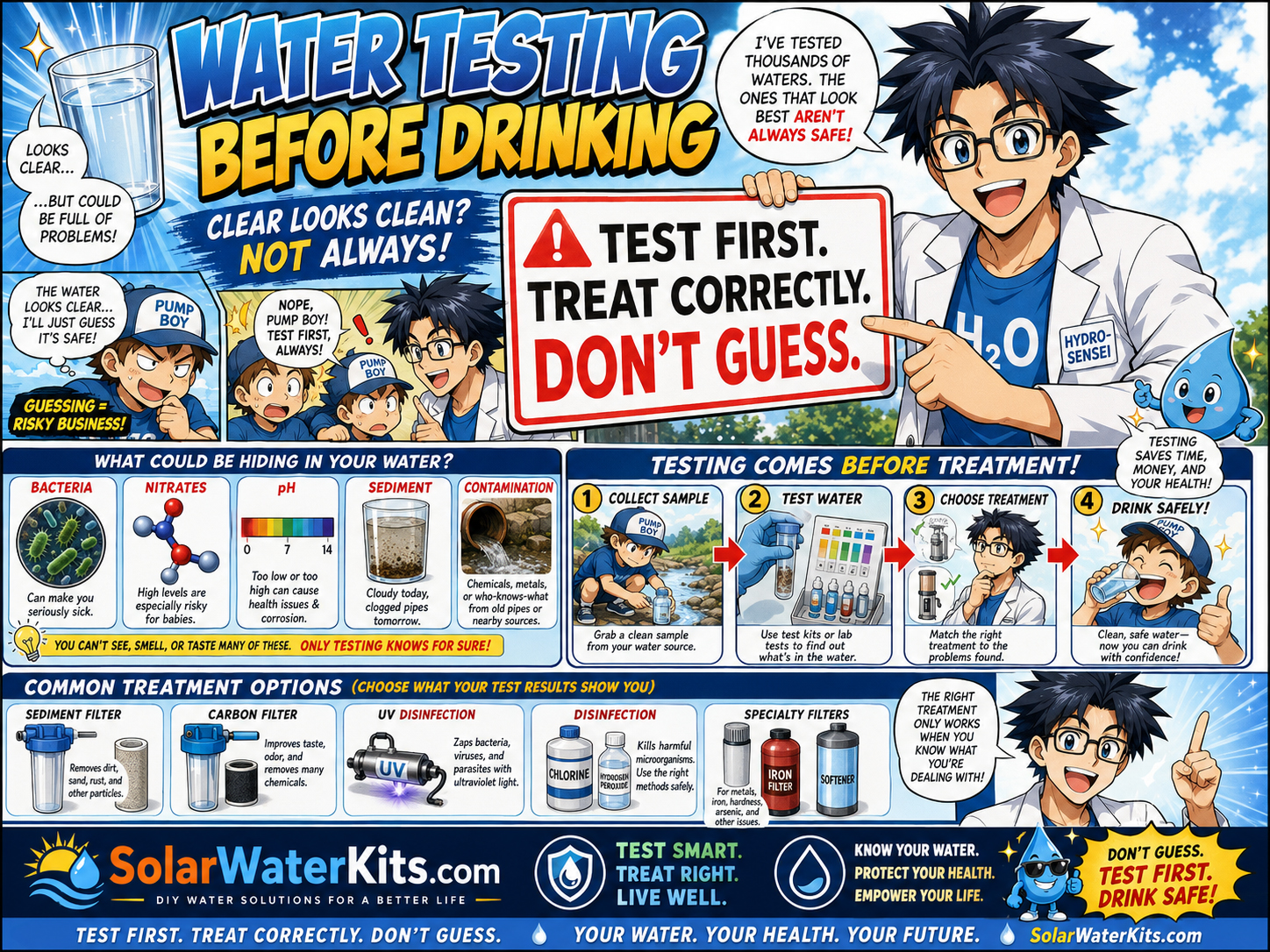
Sensor data does not replace water testing for drinking-water safety.
Water SafetyRecord filter changes, UV service, tank cleaning, pump runtime, fault history, battery events, pressure readings, water tests, valve changes, and system modifications.
Solar water controls may involve electrical circuits, wet locations, pumps, batteries, inverters, pressure switches, float switches, relays, disconnects, low-voltage wiring, communications, backflow protection, potable-water systems, and local code. This page is educational only.